Dutch platform🛡️ GDPR-compliant🤝 Retain human control ISO 27001 certified ISO 9001 certified
SERVICE PLATFORM INTEGRATION
Trengo × NexReply
Combine the best of both worlds. Trengo brings all your channels together; NexReply automates your email communication.
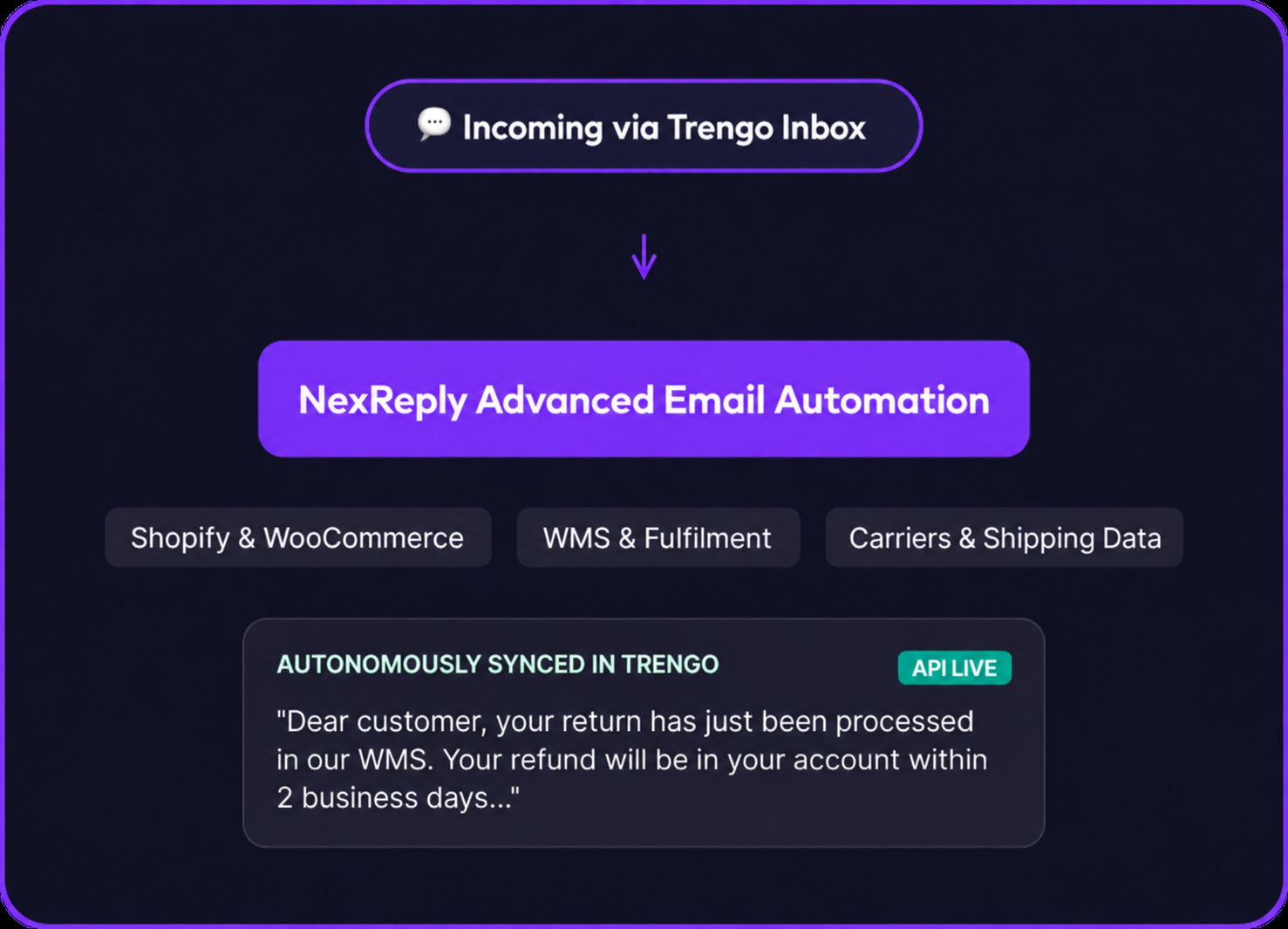
Many e-commerce teams use Trengo as their omnichannel inbox for chat and WhatsApp. A strong start. But the real work lies in truly automating repetitive email questions. Through the API integration, NexReply retrieves customer data and conversation context from Trengo to answer incoming emails fully autonomously, factually and accurately. No loose ends, everything synchronised.
Trengo for channels, NexReply for email automation
Many businesses use Trengo to bring communication channels together. But when it comes to truly automating email questions using data from your online shop, fulfilment and CRM, NexReply is the specialist. Together, they make the perfect combination.
1
Conversation context
Retrieve customer conversations, notes and previous interactions from Trengo. NexReply uses this context to generate better, more personal email replies.
• Previous conversations as context
• Customer notes and tags
2
Customer profiles
Synchronise contact details, labels and segments from Trengo. NexReply knows exactly who the customer is and how you communicated previously.
• Contact details and labels
• Customer history and segments
3
Seamless workflow
Emails answered automatically by NexReply are synchronised back to Trengo. Your team sees everything in one inbox, with no loose ends.
• Replies back in Trengo
• Complete conversation history
IMPLEMENTATION
Go live with email automation in 4 steps
Step 1
Activate the API integration
Connect your Trengo account to NexReply using an API token. One-time setup, live within 5 minutes.
Step 2
Synchronise data
Customer profiles, conversation history, labels and team structure are synchronised automatically.
Step 3
Reply automatically
Incoming emails are enriched with Trengo context and answered automatically with accurate information.
Step 4
Everything back in Trengo
Replies and updates are synchronised back immediately, keeping your inbox 100% up to date.
DATA SYNC
Retrieve data from Trengo for smarter replies
NexReply uses this data to answer emails automatically with the right context and tone.
Conversation history
All previous conversations across every channel: WhatsApp, chat, email and social. NexReply understands the entire customer relationship.
Customer profiles and contact data
Name, email, phone number, company, labels and custom fields. NexReply personalises every reply.
Team assignments
Which team or agent is assigned to the customer. NexReply routes and escalates to the right person.
Labels and tags
Customer labels, priorities and categories from Trengo. NexReply adapts tone and urgency by segment.
Channel information
Which channel the customer used to contact you previously. NexReply tailors the reply to the communication history.
Internal notes
Team notes and comments on customer conversations. NexReply uses internal context without sharing it with the customer.
IN PRACTICE
Typical email questions you can automate immediately
Where is my order?
NexReply retrieves tracking data and combines it with Trengo conversation history for a complete answer.
I want to return my order
NexReply starts the returns process, retrieves the right instructions and sends a personalised reply.
When will this product be back in stock?
NexReply checks stock data and proactively informs the customer, using context from previous Trengo conversations.
Ecosystem
Works seamlessly with your entire stack
Whether you sell through Shopify, WooCommerce or Lightspeed, NexReply retrieves the data and feeds it directly back into your Trengo tickets.
Shopify
WooCommerce
Magento
Lightspeed
THE DIFFERENCE
Why customers combine Trengo and NexReply
Trengo excels at omnichannel communication, but is not designed for deep data-driven automation. NexReply fills that gap perfectly.
Trengo omnichannel inbox
• Brings WhatsApp, live chat, social media and email together in one convenient team dashboard.
• Perfect for manual support, quick chat interactions and omnichannel management.
• Lacks the deep source-data integrations needed to resolve complex emails autonomously.
NexReply automation layer
• Automates the email flow, where an average of 70% of customer questions arrive.
• Uses genuine, live order data and source systems for 100% accurate replies.
• Saves support teams an average of 15+ hours per week by handling repetitive workflows.
YOUR STACK
NexReply connects to your entire e-commerce setup
Marketplaces
Trengo inbox
Bol.com
Amazon
MediaMarkt
Praxis
ANWB
Online shops
Shopify
WooCommerce
Magento
Lightspeed
Fulfilment and carrier
Picqer
Monta
Sendcloud
PostNL
DHL
DPD
UPS
Frequently asked questions about the Trengo integration
Can NexReply answer Trengo tickets fully automatically?
Yes, for many standard e-commerce questions, such as tracking, returns and status checks. You decide which flows run fully automatically and which are prepared for review first.
Do we need to change our Trengo inbox setup?
No. NexReply works seamlessly with your existing channels, routing and rules in Trengo. You simply add a powerful automation layer.
Where does NexReply get its information?
Directly from your connected e-commerce systems, such as Shopify, WooCommerce, Sendcloud or your WMS. We combine this data live with conversation history from Trengo.
What happens with complicated customer questions?
When NexReply cannot answer a question with 100% certainty, it is handed over immediately to a human team member in Trengo, including all the source data already collected.
Make Zendesk and Trengo smarter with NexReply
Connect Trengo to NexReply and have repetitive email questions answered automatically, with the right data and context.
 Dutch platform