Dutch platform🛡️ GDPR-compliant🤝 Retain human control ISO 27001 certified ISO 9001 certified
POSTNL INTEGRATION × NEXREPLY
PostNL ships your parcels. NexReply answers customer questions.
As soon as an order is shipped via PostNL, dozens of customer questions arise: track & trace, delays, collection points and return labels. NexReply connects live PostNL shipping data to your customer service and automatically generates personalised responses – no templates, but real information.
Automate recurring customer service emails about PostNL with NexReply
Through its direct integration with PostNL, NexReply retrieves real-time shipping statuses, track & trace data and delivery information. Your support team no longer needs to search the PostNL portal manually.
Always up-to-date shipping data
NexReply retrieves live shipping statuses through the PostNL API: in transit, at a collection point, delivered or delayed. Every customer reply contains the latest information.
For delays, failed delivery attempts or changed delivery dates, NexReply can notify the customer automatically, before they even contact you.
See how this works
No manual searching
Your support team no longer needs to switch between the inbox and the PostNL portal. This saves up to 5 minutes per incoming ticket.
See customer cases here
Integration
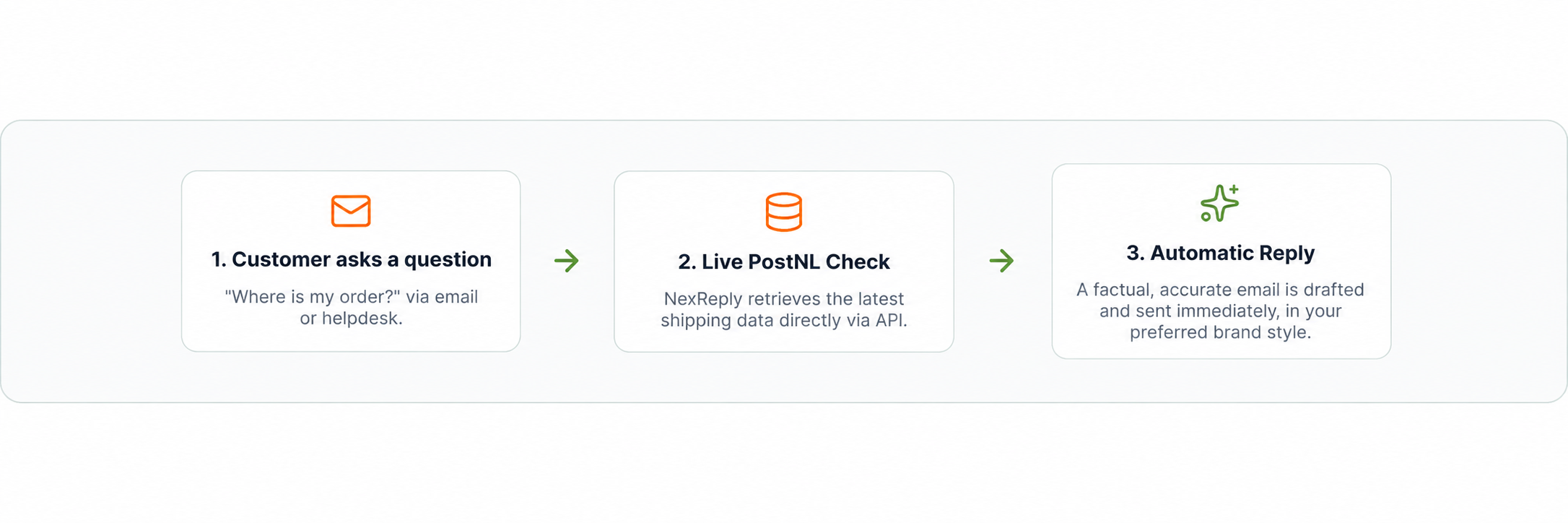
What happens in NexReply as soon as a PostNL shipment triggers and generates a customer query
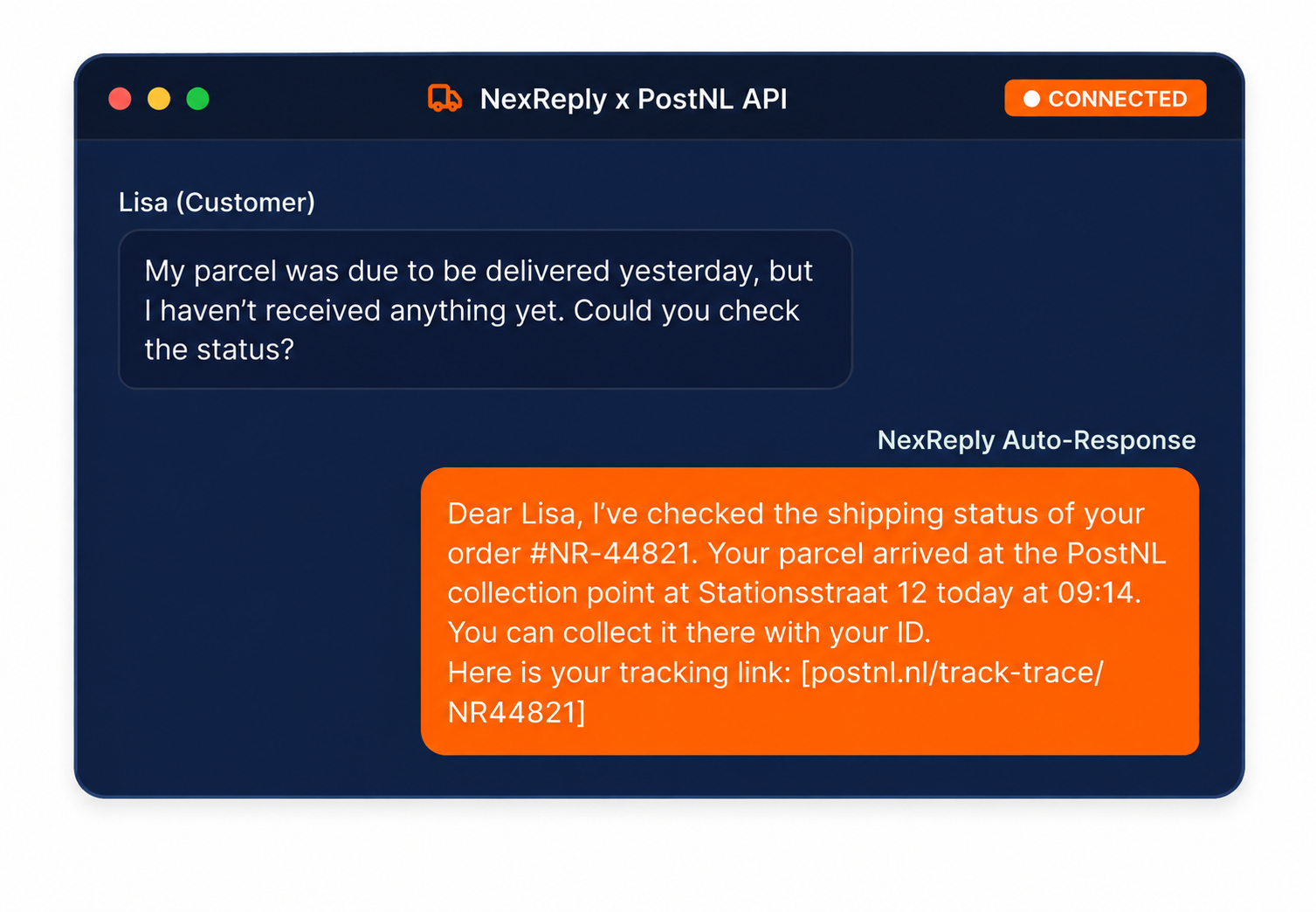
Scenario: A customer emails: Where is my parcel?
The Process
From customer question to shipping response in 6 steps
Scenario: a customer emails: My parcel was supposed to be delivered yesterday
1
Match customer & order
NexReply links the email address to the correct order, even when a customer has multiple active orders.
2
Retrieve shipping status
The system retrieves the current PostNL status: packed, in transit, at a collection point, delivered or returned.
3
Check track & trace
NexReply reads the latest tracking events: sorting, delivery attempt, delivery to a neighbour or collection point.
4
Analyse delivery events
Are there any exceptions, such as failed delivery attempts, address problems or delays due to weather or high volumes?
5
Generate response
A personalised response is prepared with the exact shipping status, expected delivery date and, if applicable, a track & trace link.
6
Send or review
Standard shipping replies are sent immediately. Complex situations such as missing parcels are prepared neatly for human review.
Shipping questions
Typical PostNL customer questions that NexReply automates
No standard templates: NexReply generates dynamic replies based on live PostNL data.
Where is my parcel?
Current track & trace status, expected delivery date and any delays – all in one response.
Parcel not received
Check delivery status, delivery to a collection point, delivery to a neighbour or failed delivery attempt.
Track a return shipment
The status of return labels, handover at a PostNL point and receipt confirmation from the warehouse.
Change delivery time
Information about options for postponing delivery, having it delivered to a different address or sending it to a collection point.
Parcel received damaged
Automated explanation of the process for damaged shipments and a direct link to the returns process.
International shipping
Status updates on customs clearance, expected delivery times for international PostNL shipments and any import charges.
Real-time Data
Live PostNL data in every customer reply
NexReply does not retrieve static data. Every interaction contains the most up-to-date PostNL data, including tracking events and delivery exceptions.
Direct API Polling
The PostNL API is queried directly when an email is analysed.
Status Exception Alerts
Automatic detection of bottlenecks and delays during shipping.
Customer-friendly links
Direct tracking links added automatically without unnecessary navigation steps.
Operational
Not a chatbot. Infrastructure for shipping communications.
Classic chatbots guess the intent and repeat FAQ lists. NexReply acts as an intelligent layer on top of your systems, autonomously formulating responses based on real, live logistics data.
The traditional chatbot
Often gets stuck in an endless 'I don't understand' loop, has no insight into PostNL parcel movements and frustrates customers by failing to provide real answers.
NexReply Integration
Connected to your active systems. Analyses delivery failures in real time, provides track & trace context instantly and works seamlessly with helpdesks such as Zendesk, Trengo and Freshdesk.
Ecosystem
Connects to your complete shipping stack
NexReply does not replace your shipping tools, but acts as the link between them for answering all customer email queries.
Monta
Fulfilment status, stock levels and shipping details directly linked to customer enquiries.
NexReply connects to virtually any system where customer data is available via the API.
In practice
How a fashion webshop automates 80% of PostNL queries
80%
Handled automatically
Resolved immediately without intervention from a support agent.
< 2 min
Average response time
Customers receive immediate answers, significantly improving their experience.
24/7
Always available
Immediate responses at weekends and during seasonal peaks too.
A Dutch fashion webshop ships more than 500 parcels daily via PostNL. During busy periods, this led to hundreds of emails asking, 'where is my parcel?'. Support staff spent hours each day copying and pasting Track & Trace codes.
Since switching to NexReply, live PostNL tracking updates are linked directly to the right customer question. The AI composes a factual reply including the exact delivery location, such as a specific PostNL collection point. The team only needs to intervene for genuine exceptions and shipping damage.
Customer Service Lead
Fashion retailer – PostNL user
FAQ
Frequently asked questions about the PostNL integration
Can NexReply automatically share PostNL tracking information with customers?
Yes. NexReply automatically retrieves the latest track & trace information via the PostNL API and incorporates it into a personalised customer response. The customer receives not only a tracking link, but also context about the current status.
How does NexReply recognise that a query concerns a PostNL shipment?
The system analyses the content of each incoming message and links it to outstanding orders and shipments. Based on order references, email address and message content, the correct order and carrier are automatically matched.
Does NexReply also handle delays and exceptions?
Yes. For failed delivery attempts, delays due to busy periods or weather, or delivery to a collection point, NexReply automatically generates a contextual reply with the right explanation and expected next steps.
Can I combine NexReply with my existing helpdesk?
Absolutely. NexReply integrates directly with helpdesks such as Zendesk, Trengo and Freshdesk. Incoming tickets are automatically enriched with shipping data and answered immediately where possible.
Is NexReply a chatbot for PostNL queries?
No. NexReply is an operational platform that automates email customer service based on real order data and shipping statuses. It generates personalised responses with human oversight instead of generic chatbot responses.
Related
Other supported shipping integrations
DHL
Connect DHL shipping data to your customer service for automatic delivery updates and Track & Trace information.
 Dutch platform