
Recognise recurring questions
NexReply recognises what the customer needs help with and links the enquiry to the appropriate rules.
 Dutch platform
🛡️ GDPR-compliant
🤝 Retain human control
ISO 27001 certified
ISO 9001 certified
Dutch platform
🛡️ GDPR-compliant
🤝 Retain human control
ISO 27001 certified
ISO 9001 certified
Outlook × NexReply
Outlook integration with NexReply for automatic processing of incoming customer emails. Connect the mailbox behind your Outlook environment to your webshop data and approved knowledge, so the same questions do not need to be answered manually time after time.
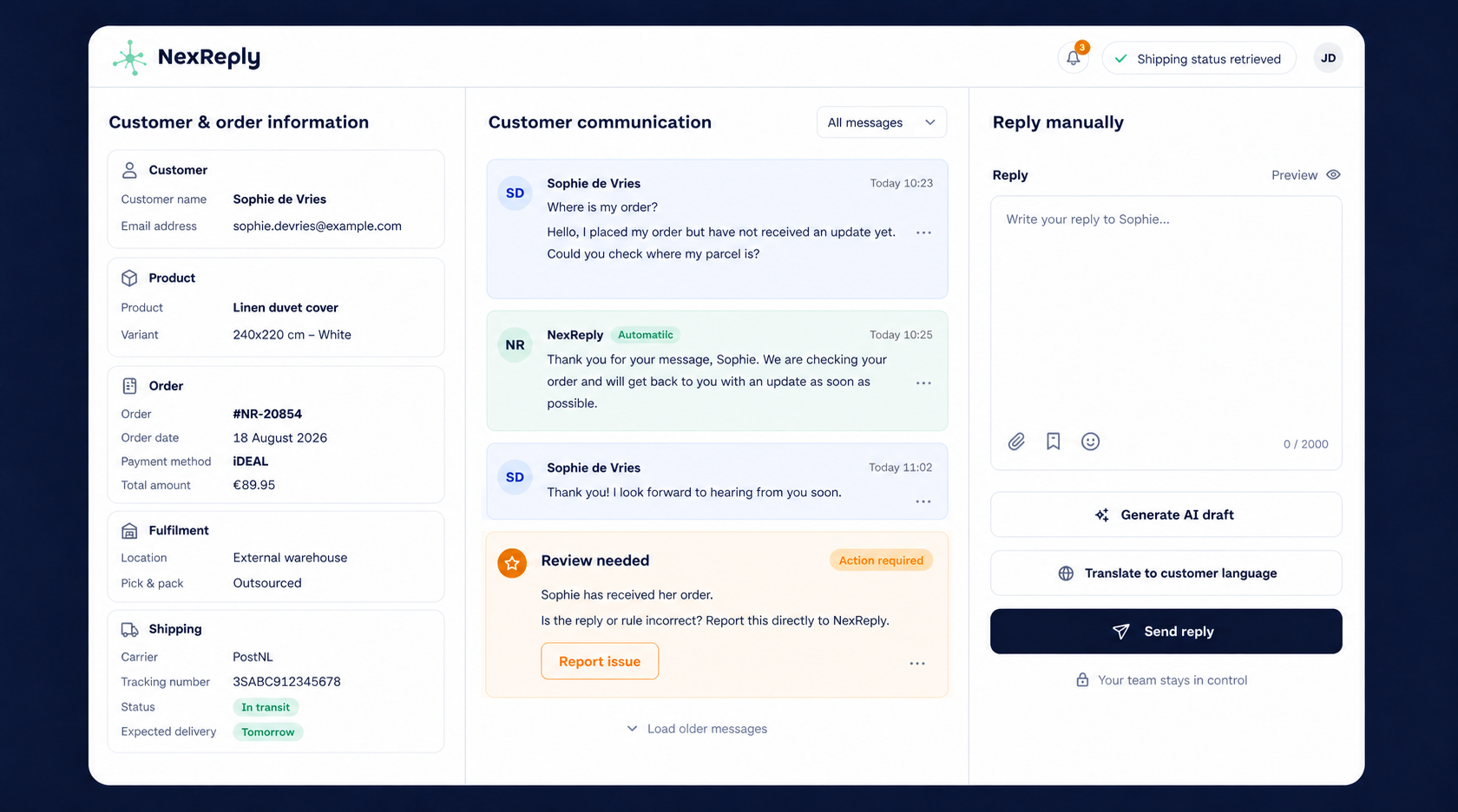
NexReply recognises what the customer needs help with and links the enquiry to the appropriate rules.
Available order and shipping details come together with the email, so your team does not have to keep switching screens.
Use your own instructions and tone of voice, with review where needed.
Outlook is the application you use for email. The technical connection depends on the mailbox and organisational settings behind it. We therefore start by reviewing your current configuration.
For a Microsoft 365 environment, we coordinate access with the administrator. We then connect customer communication to the relevant data and processes in NexReply.
We establish which mailboxes you use and who manages access.
Identify common questions, approved responses and situations that still require review.
Test processing with your team and switch suitable scenarios to automatic handling in a controlled way.
NexReply is not a standalone chatbot alongside your email. Processing takes place within your agreed workflow. Your team can assess responses and keep exceptions under control.
Discuss which recurring enquiries NexReply can take over from your mailbox.