
Process customer emails centrally
Recognise recurring questions in your connected mailbox and keep conversations clearly organised.
 Dutch platform
🛡️ GDPR-compliant
🤝 Retain human control
ISO 27001 certified
ISO 9001 certified
Dutch platform
🛡️ GDPR-compliant
🤝 Retain human control
ISO 27001 certified
ISO 9001 certified
Microsoft 365 × NexReply
Microsoft 365 Enterprise integration with NexReply for integrated customer communication through Exchange. Bring customer emails together with information from your webshop, fulfilment and shipping systems. Your team no longer needs to search several systems for every enquiry.
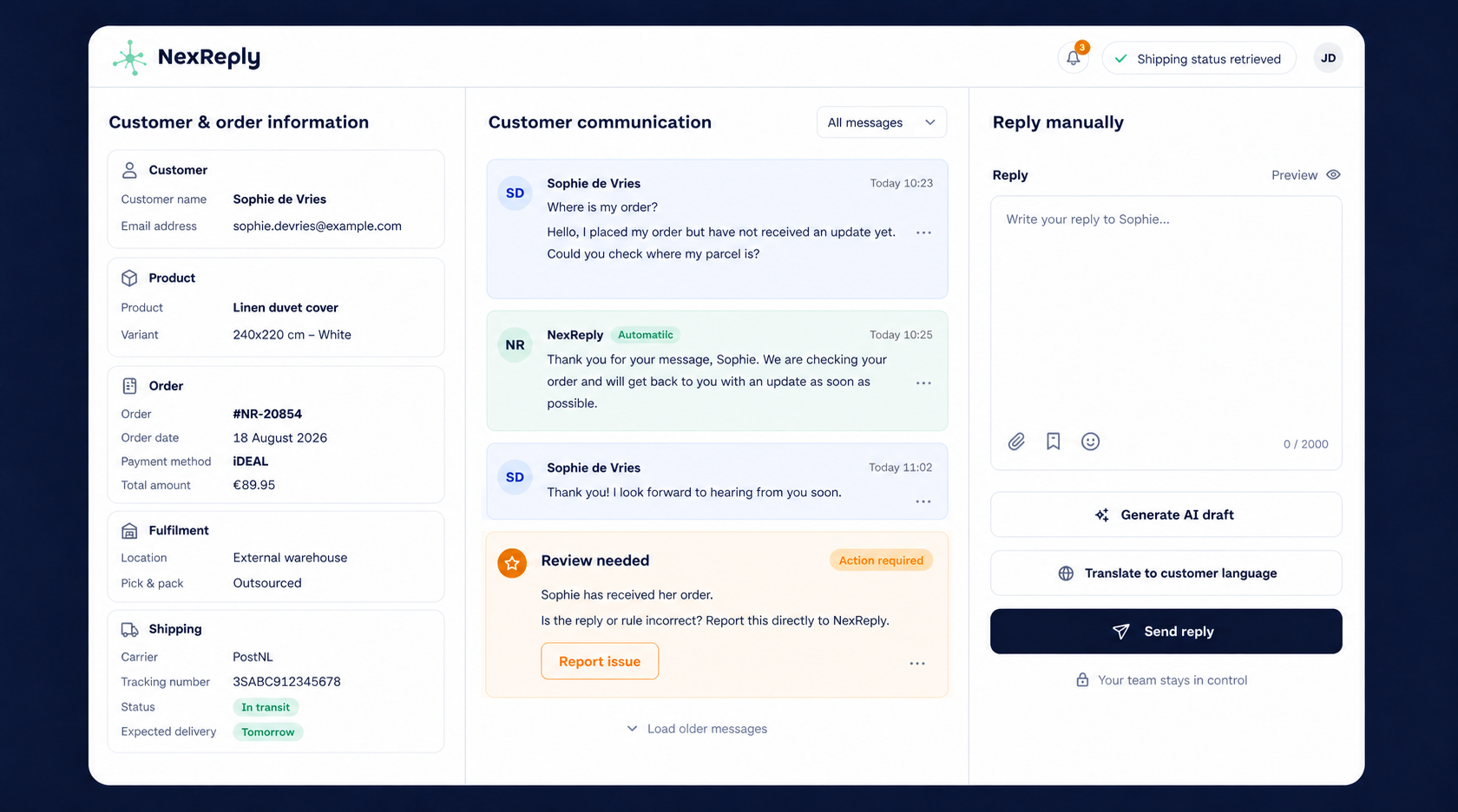
Recognise recurring questions in your connected mailbox and keep conversations clearly organised.
Combine the enquiry with available order, shipping and return information from connected systems.
Process familiar scenarios automatically and keep sensitive or unusual questions with your team.
You do not need to separate customer communication from your existing Microsoft environment. NexReply uses the mailbox connection to process conversations and adds your knowledge base, rules and operational context.
During configuration, we agree which mailboxes, folders and data are needed. Access is coordinated with your Microsoft 365 administrator. Do not share personal passwords through contact forms or knowledge base articles.
Choose the mailboxes and coordinate the required access with the administrator.
Define how you respond, what information is needed and when an employee must review an enquiry.
Check the first responses in review mode, then automate suitable scenarios.
You decide which enquiries NexReply may handle automatically. Missing information or exceptions can still receive human assessment. Conversations and actions remain traceable in NexReply.
See how your existing mailboxes and systems come together in one controlled customer service workflow.