
Keep your existing mailboxes
Bring customer enquiries from your connected Gmail environment together in NexReply.
 Dutch platform
🛡️ GDPR-compliant
🤝 Retain human control
ISO 27001 certified
ISO 9001 certified
Dutch platform
🛡️ GDPR-compliant
🤝 Retain human control
ISO 27001 certified
ISO 9001 certified
Gmail × NexReply
Gmail integration with NexReply for direct customer email automation from Google Workspace. Use your existing mailboxes and domains, with customer and order context immediately available to handle every enquiry.
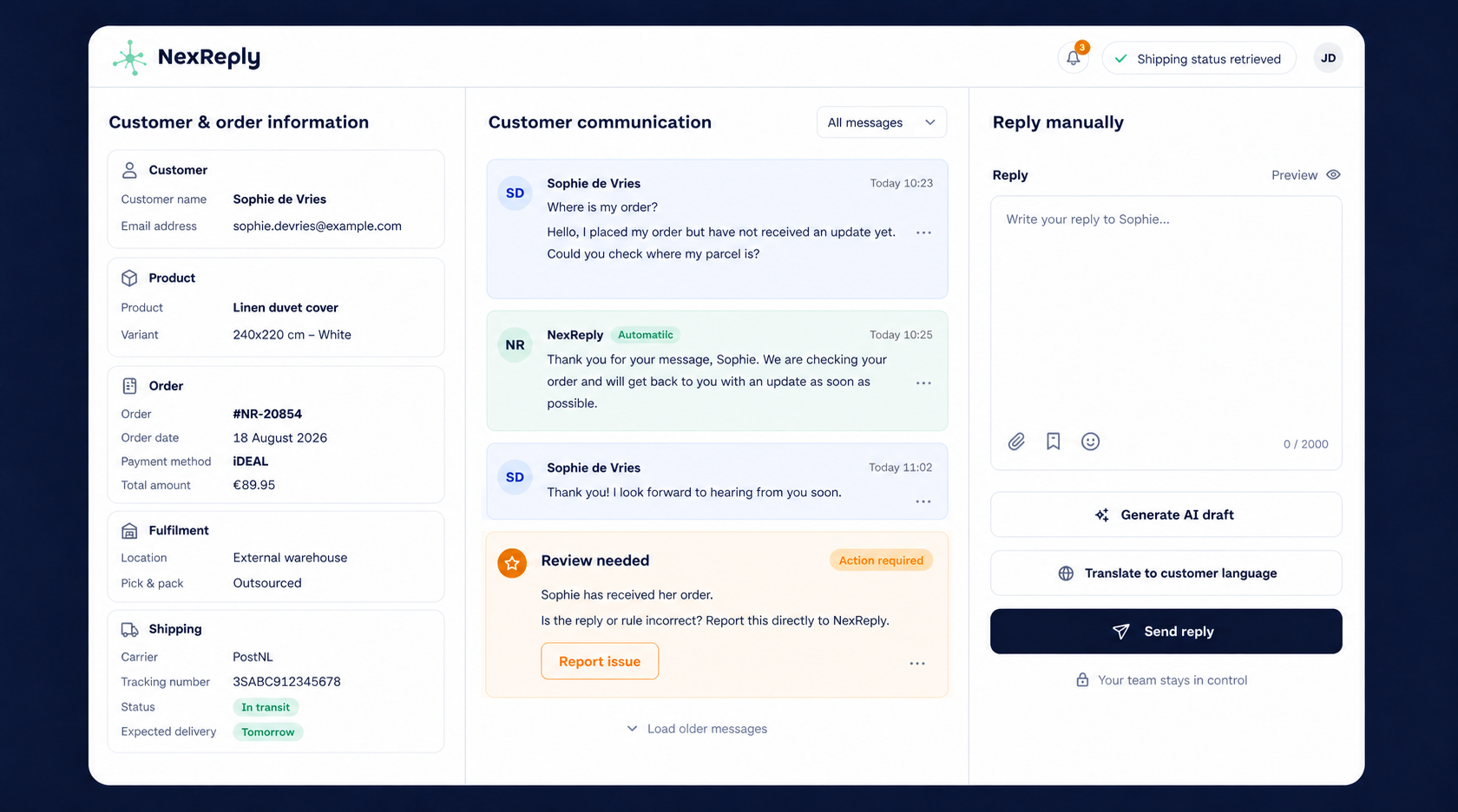
Bring customer enquiries from your connected Gmail environment together in NexReply.
Connect the enquiry to available data from your webshop, stock and shipping systems.
Configure responses around your own communication, knowledge and agreements.
NexReply provides a Google sign-in connection for Gmail access. During setup, you complete the consent process for the relevant mailbox. Depending on your Google Workspace policy, an administrator may need to assist.
We then configure the relevant question types and rules. Combining the mailbox, order context and approved knowledge makes responses useful for your day-to-day customer service.
Choose the correct account and complete Google's consent process for the connection.
Define the tone of voice, relevant knowledge and boundaries for automatic processing.
Check the first suggestions, then automate suitable recurring enquiries.
You decide which scenarios may run automatically. Your team can assess enquiries where information or confidence is lacking. The integration does not change the agreements you want to make with customers.
Discover how your Google Workspace mailboxes and e-commerce systems can work together.