Dutch platform🛡️ GDPR-compliant🤝 Retain human control ISO 27001 certified ISO 9001 certified
SENDCLOUD INTEGRATION × NEXREPLY
Sendcloud connects your shipping. NexReply answers customer questions.
Do you use Sendcloud to streamline logistics across multiple carriers? NexReply's API integration effortlessly automates customer questions about tracking, delayed deliveries, collection points and returns using real-time multi-carrier shipping data.
NexReply retrieves real-time shipping information from your Sendcloud environment, regardless of which carrier handles the shipment: DHL, PostNL, DPD or UPS. This enables the AI to answer crucial logistics questions immediately.
Multi-Carrier Status Tracking
Automatically retrieve statuses from more than 160+ connected carriers within a single central interface for consistent and immediate responses.
From incoming message to an accurate reply backed by real-time data in 5 steps
1
Analyse message
NexReply immediately analyses the incoming customer question and recognises logistics-related intent.
2
Match orders
The correct order is located immediately using the email address or order number.
3
Sendcloud API call
NexReply retrieves the latest shipping data and tracking events from Sendcloud.
4
Compose a reply
The AI composes an accurate reply in your brand's tone of voice using live data.
5
Send
The reply is sent immediately. Only complex escalations go to an agent.
SENDCLOUD API DATA
What you can automate with the Sendcloud API
Connect directly to all the data fields offered by Sendcloud's powerful API architecture.
Real-time delivery statuses
Status of handover, sorting and final delivery attempts.
Shipment and label information
Access to tracking URLs, barcode numbers and shipping labels.
Collection point data
Location details, addresses and opening hours of parcel shops.
Returns flows
Status of return shipments and automatically generated return labels.
AUTOMATICALLY ANSWERED
Which customer queries NexReply can answer automatically
Eliminate manual searches in portals. Let the AI take immediate action on the most common support tickets.
"Where is my parcel?" (WISMP)
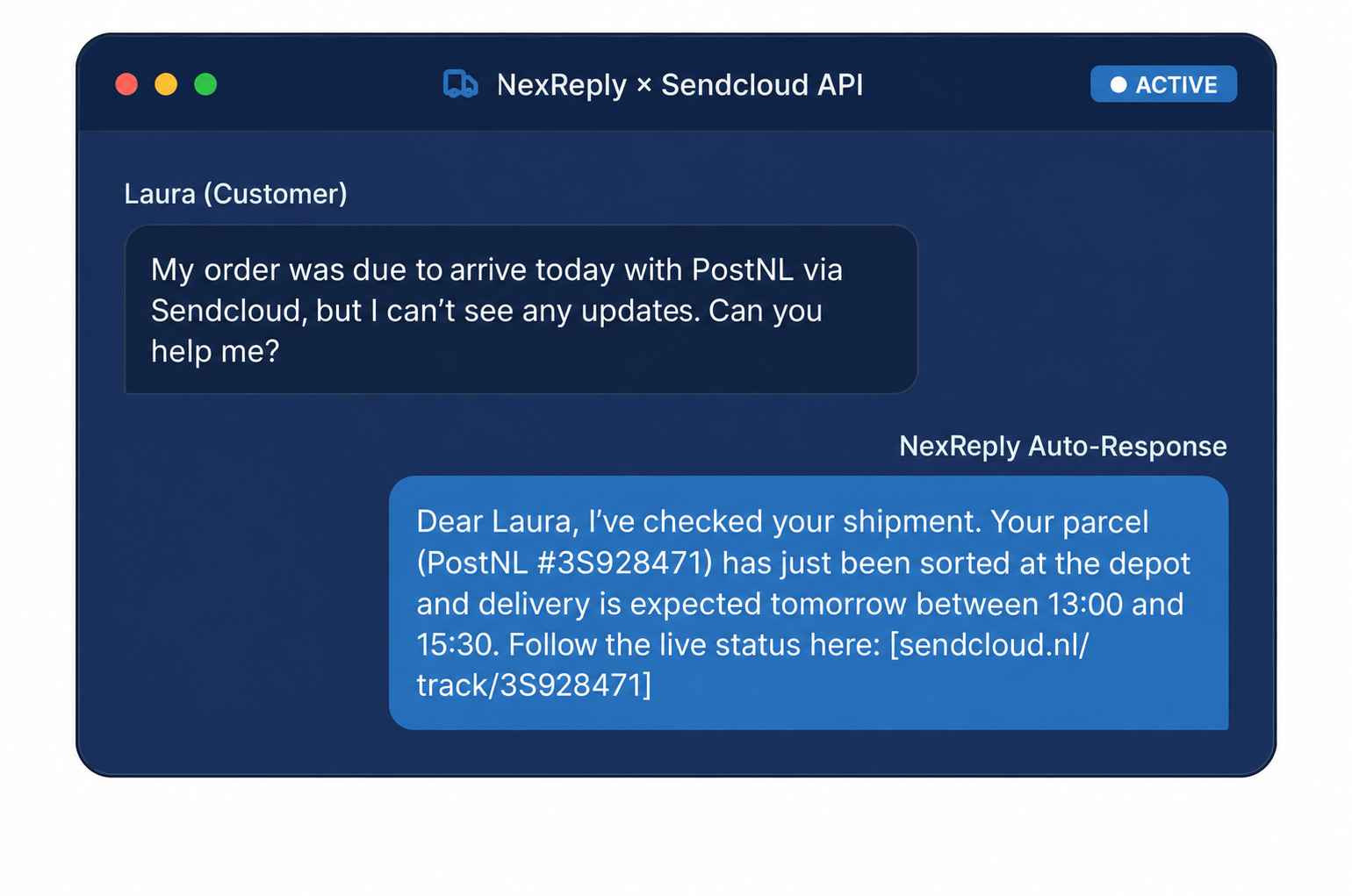
Automatically respond with the latest tracking location and expected delivery time from the selected carrier.
Delayed deliveries
Communicate sorting centre delays proactively or immediately, with clear, reassuring information.
Pickup point requests
Remind customers about a parcel waiting at their service point, including the exact address and collection deadline.
Request return labels
Generate and send a usable return label immediately through the Sendcloud returns portal API.
Carrier-specific updates
Accurately align with the specific procedures of DHL, PostNL, DPD, Budbee or UPS via Sendcloud.
IN PRACTICE
75% of logistics questions resolved autonomously
75%
Resolved instantly
Real-time status integrations eliminate the need for human intervention.
< 1 min
Average response time
Immediate replies dramatically improve conversion and the customer experience.
160+
Carriers covered
Direct support for PostNL, DHL, DPD, GLS and many others.
"Thanks to the NexReply Sendcloud integration, our customer service team handles huge holiday peaks with ease. The AI answers questions accurately using live tracking data from PostNL and DHL."
Previously, agents constantly switched between different carrier portals to check tracking codes manually. Now NexReply retrieves this data directly from Sendcloud, reducing our overheads by 40%.
Operations Director
Large multi-brand webshop using Sendcloud and NexReply
BENEFITS
Why online shops connect Sendcloud to NexReply
Handle parcel status questions 100% automatically
Share accurate tracking information immediately
Less pressure on support during shipping delays
Consistent answers to service point queries
Easy returns handling through the API
Scale customer service without extra full-time staff
OPERATIONAL
Not a chatbot for shipping queries, but infrastructure for accurate answers
The traditional chatbot
Traditional chatbots guess intent and repeat generic FAQ lists. They often cause frustration because they cannot access current Sendcloud carrier data or give customers a concrete answer about their specific shipment.
NexReply + Sendcloud
NexReply acts as a smart information layer that immediately composes replies autonomously using real-time, live Sendcloud tracking data across all 160+ carriers. Always factually accurate and entirely in your brand's tone of voice.
ECOSYSTEM
Sendcloud within the broader NexReply e-commerce infrastructure
Connect Sendcloud to the rest of your tech stack for a fully integrated customer experience.
Monta
Fulfilment status, stock levels and shipping details directly linked to customer enquiries.
NexReply connects to virtually any system where customer data is available via the API.
FAQ
Frequently asked questions about the Sendcloud integration
Can NexReply send Sendcloud tracking links?
Yes. NexReply retrieves the tracking URL directly from the Sendcloud API and includes it in a personalised email reply to the customer.
How quickly are changes in Sendcloud processed?
Statuses are communicated in real time via webhooks or direct API calls. As soon as a carrier updates a status in Sendcloud, NexReply knows immediately.
Does this also support international shipments via Sendcloud?
Certainly. Because Sendcloud connects with hundreds of carriers worldwide, NexReply can track shipments across the globe and respond in the correct language.
Do I have to create return labels manually?
No. The AI can request return labels directly via the Sendcloud returns portal API and add them to the email as a PDF attachment.
RELATED
Other supported shipping integrations
PostNL
Connect PostNL shipping data directly to your customer service for automatic delivery updates.
 Dutch platform