Best Customer Service Software in 2026: The Ultimate Guide to Efficiency
Your customer service inbox is overflowing. Your team is drowning in repetitive emails, response times are increasing, and customers are getting impatient. Meanwhile, visibility is lacking and replies are not always consistent. Sound familiar? Many growing companies face these exact challenges.
The solution is not working harder, but working smarter. The right customer service software is no longer a luxury in 2026 — it is a strategic necessity to regain control, scale efficiently, and deliver consistently better customer experiences.
But how do you choose the right solution in a market full of tools all promising “AI”, “automation”, and “efficiency”? What is the best customer service software in 2026? For most businesses, the answer depends on efficiency, scalability, and how intelligently automation is applied. In this guide, we go beyond a simple feature comparison. You’ll get a practical framework to choose software that delivers real value — today and in the future.
What Is Customer Service Software (and Why a Shared Inbox Is No Longer Enough)
Many companies start with a shared inbox like support@company.com. It works… until it doesn’t. Emails get missed, customers receive duplicate replies, and no one knows who is responsible for what.
Customer service software is a centralized system that structures, organizes, and makes customer communication measurable. Where an inbox only shows messages, customer service software turns every request into a manageable process.
Think of it as the difference between scattered notes and a professional project management tool. For a small team it may be manageable, but once volume increases, chaos quickly follows.
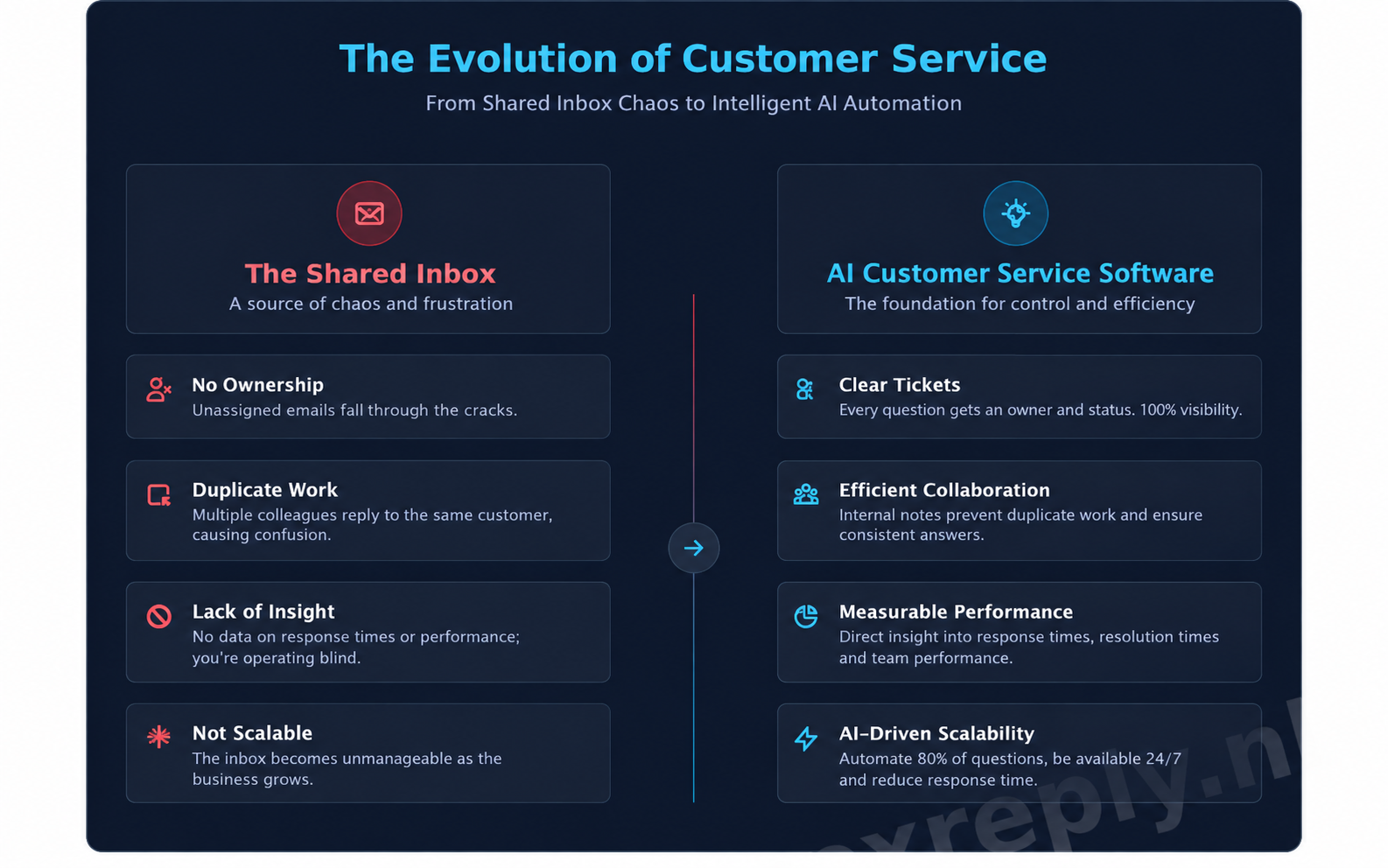
The Pain Points of a Shared Inbox
- No ownership – it’s unclear who is responsible for which customer
- Duplicate work – multiple agents reply to the same question
- Lack of insight – no data on response times or performance
- Not scalable – more emails instantly means more pressure
The Benefits of a Centralized System
- Tickets with clear status and ownership
- Internal notes for collaboration
- Performance insights via dashboards
- A growing knowledge base of solved cases
The Evolution: From Ticketing Systems to Intelligent Email Automation
Customer service software has evolved through three distinct phases, each responding to new operational challenges.
Generation 1: The Classic Ticketing System
Emails became tickets. Structure returned, but answering remained entirely manual. Repetitive questions continued to consume valuable time.
Generation 2: The Omnichannel Helpdesk
All channels — email, chat, social media — were unified. Customer context improved, but complexity increased. Agents had to constantly switch between conversations.
Generation 3: AI-Driven Email Automation
The latest generation goes beyond organization: the system handles emails autonomously.
More and more companies deliberately choose email-first automation. Email remains the primary channel for questions about orders, returns, and billing. Solutions like NexReply are built specifically to automate this channel safely and at scale, without losing control over content or tone of voice.
Instead of “AI that makes things up”, NexReply works with pre-approved instructions. The software analyzes the content of an incoming email and matches it to a controlled response. No hallucinations. No surprises.
The result: faster replies, 24/7 availability, and more time for human attention where it truly matters.
An online store receiving ~1,200 support emails per month automated 78% of incoming emails with NexReply within two weeks. Average response time dropped from 14 hours to just 2 minutes.
Essential Features: What Should You Look For?
Not every customer service tool fits every organization. The right choice depends on your volume, team, and growth ambitions.
Core Features (Non-Negotiable)
- Centralized inbox & ticketing
- Reporting & dashboards (response time, resolution time, workload)
- Internal notes & collaboration
Efficiency Boosters
- Templates & canned responses
- Rule-based workflows
- AI-powered suggestions or automated handling
Connectivity
- Integrations with e-commerce platforms & CRMs
- API access for custom integrations
When Is NexReply the Right Choice?
NexReply is ideal for organizations that:
- Receive most customer inquiries via email
- Handle many repetitive questions (orders, shipping, returns)
- Want to use AI without the risk of fabricated answers
- Require full control over content and tone of voice
- Want to get started quickly with full onboarding support
When NexReply May Be Less Suitable
- If live chat or phone support is the primary channel
- If nearly all inquiries are bespoke
- If there are no clear, recurring question patterns
This clarity ensures NexReply is used where it delivers the most value.
How to Choose the Best Customer Service Software: A Step-by-Step Guide
Step 1: Analyze Your Current Situation
- How many customer inquiries do you receive per week?
- What are your top 5 repetitive questions?
- Where does your team currently struggle?
Step 2: Define Goals and Budget
Examples include:
- Reducing response time from 24 hours to 2 hours
- Lowering workload through automation
- Delivering consistent, error-free answers
For SMBs, investment typically ranges between €25 and €75 per user per month.
Step 3: Request Focused Demos
Ask critical questions about:
- Onboarding and implementation
- Support availability and response times
- Data security and GDPR compliance
The Business Case: What Is the ROI of Customer Service Software?
Direct Cost Savings
- Less manual handling
- No immediate need for additional staff as volume grows
- Fewer costly mistakes through standardization
Indirect Gains
- Higher customer satisfaction
- Increased repeat purchases
- Positive reviews and word-of-mouth referrals
Customer service software is not a cost center — it is a growth accelerator.
Your Customer Service, Ready for the Future
A shared inbox is no longer sufficient. Modern customer service requires structure, insight, and intelligent automation. The right customer service software makes the difference between constant firefighting and controlled growth.
NexReply helps organizations take the next step with safe, controllable AI-driven email automation — built in Europe. No black box, but clear instructions, full onboarding, and measurable results.
See the impact for yourself.
Schedule a demo and discover how NexReply can automate up to 80% of your incoming emails, freeing your team to focus on work that truly matters.
Frequently Asked Questions About Customer Service Software
What is the difference between customer service software and a CRM?
Customer service software focuses on handling and resolving customer inquiries efficiently. It is an operational tool designed for support teams. A CRM (Customer Relationship Management) system is broader and manages the entire customer relationship, including sales, contact history, and marketing interactions. The two systems often integrate but serve different primary purposes.
Is customer service software only for large companies?
No. The need for customer service software depends on inquiry volume and complexity, not company size. For small and medium-sized businesses, automating repetitive tasks can significantly reduce workload and improve customer satisfaction.
Does AI replace customer service agents?
Absolutely not. Our philosophy is “assist-first”: AI is a co-pilot, not a replacement. It handles repetitive tasks so agents can focus on complex issues requiring human judgment and empathy.
How long does implementation take?
Implementation time varies depending on complexity. A basic setup can often be live within days, while more advanced integrations may take several weeks. A strong partner guides you through the entire process.
Where is customer data stored and is it secure?
Security and GDPR compliance are top priorities. With reliable European providers, data is stored on secure servers within the EU, ensuring full compliance with data protection regulations.
What is the difference between a chatbot and AI email automation?
A chatbot interacts with website visitors in real time. AI email automation works behind the scenes in your inbox, analyzing incoming emails and generating accurate responses based on pre-approved instructions — without fabricating information.